Set up how you collect payments: card through Redsys (card terminal) and direct debits (SEPA). Before enabling either, you must fill in the tax address and tick the declaration that the details are correct.
Box billing
Tax details and payments
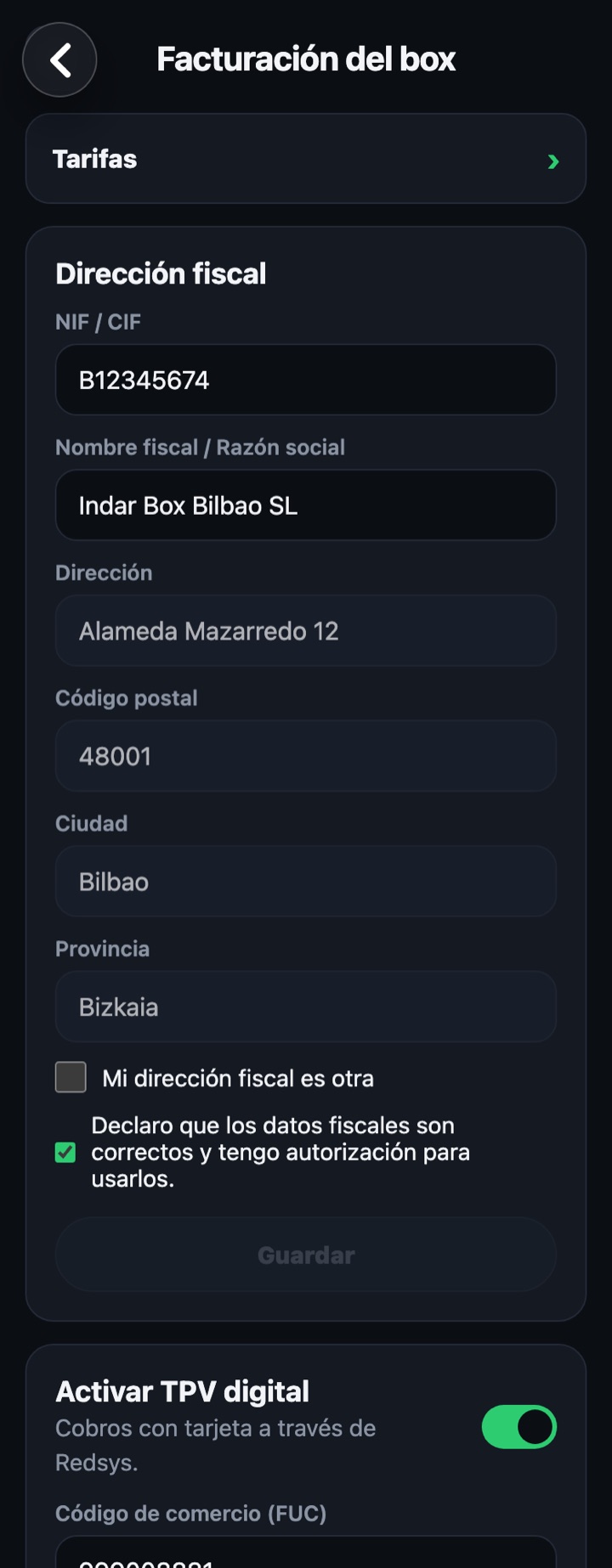
Tax address
Tax ID and Legal name / Company name
Of the holder issuing the receipts and invoices.
Address, postcode, city and province
By default it is the box's; tick "My tax address is different" to enter another one.
I declare that the tax details are correct
Required in order to save.
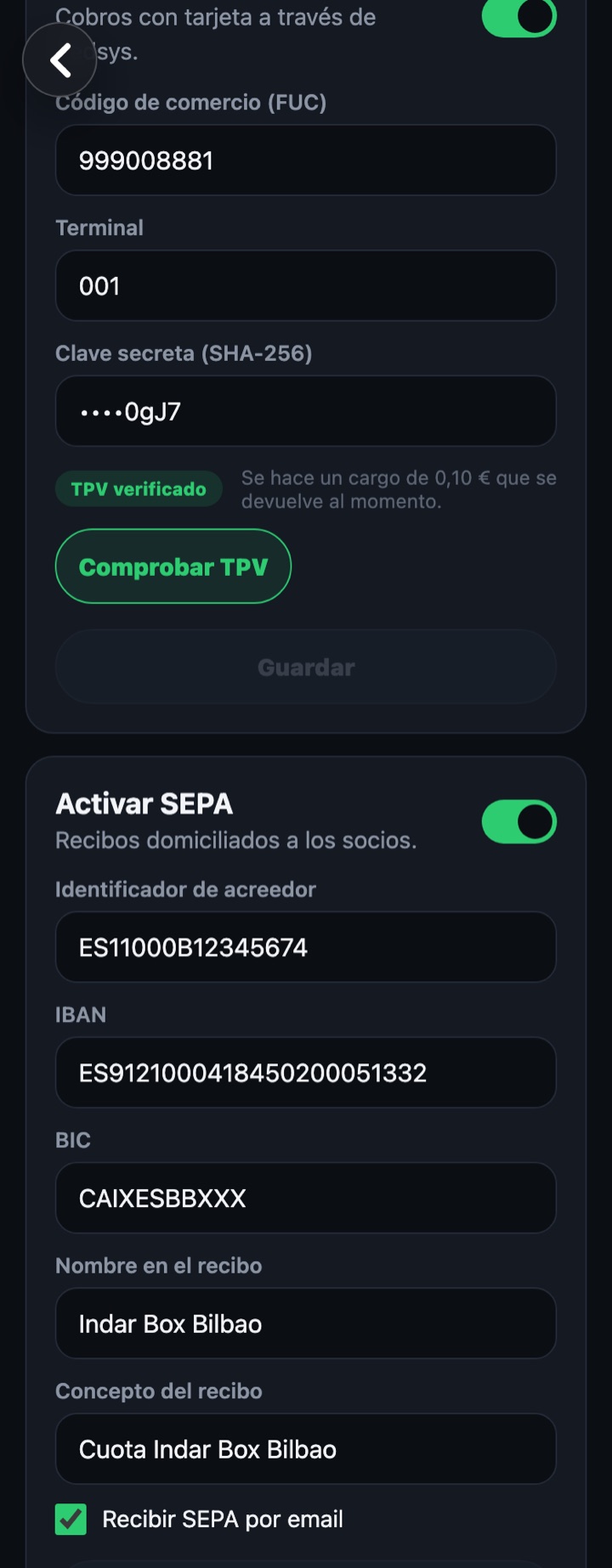
Enable card terminal (card)
- Turn on the "Enable card terminal" switch.
- Fill in the merchant code (FUC), the terminal and the SHA-256 secret key your bank gives you for Redsys.
- Tap "Check card terminal": a €0.10 charge is made and refunded immediately. It won't let you save until it is verified.
- Save.
Enable SEPA (direct debits)
- Turn on the "Enable SEPA" switch.
- Fill in the creditor identifier (format ES + 2 digits + 3 characters + tax ID, for example ES26000G19473529; it must match the tax ID), the box IBAN (the BIC is calculated automatically), the name the member will see on the receipt and the concept.
- Tick "Receive SEPA by email" if you want every generated remittance sent to you by email.
- Save.
If you turn on a switch and don't fill in its fields, the app asks you to complete them or turn it off before saving.